Get notified when
your AI agent needs you.
Developers lose 40 minutes a day waiting on AI agents. Pulser lives in your menubar and pings you the moment your agent needs input, so you ship instead of stare.
For developers running Claude Code, Aider, and other AI coding agents.
macOS 13+ · 12 MB · No account required · Your data stays local
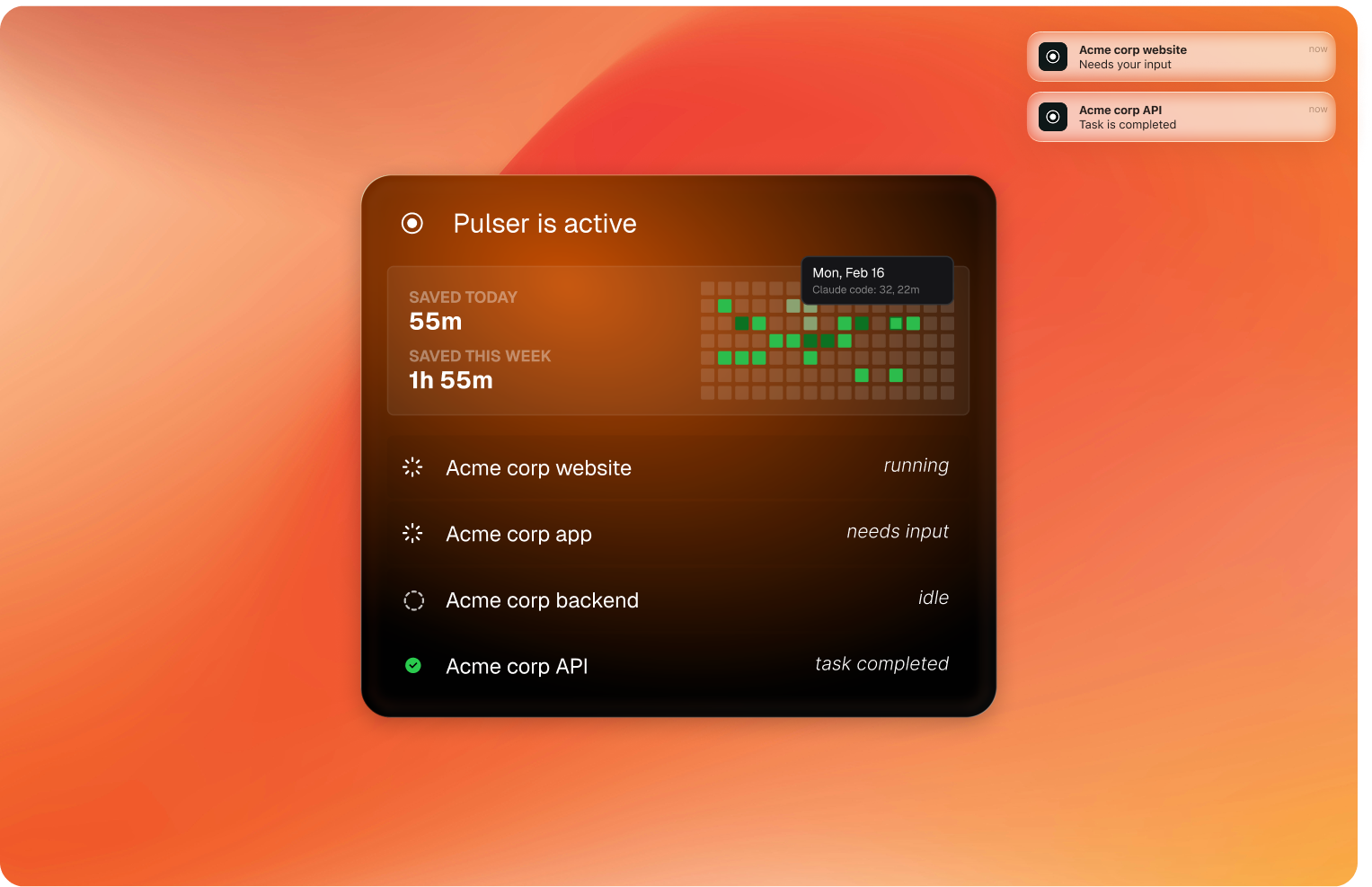
Stay in deep work
Your agent runs in the background. You stay focused on what matters. Pulser pings you only when it's time to respond - nothing else.Run agents in parallel
Kick off Claude Code in one project, Aider in another, Cursor in a third. Pulser watches them all. You respond to whichever needs you first.Zero wasted waiting
No more checking terminals every 30 seconds. No more half-reading Hacker News while you wait. Get real hours back.Three steps. Thirty seconds.
Install
Download the DMG. Drag to Applications. Pulser appears in your menubar.
Work on something else
Switch tabs, review a PR, write docs. Pulser monitors your terminal agents silently.
Get notified
A native Mac notification tells you exactly which agent needs you and where.
Works with every AI agent
Claude Code gets real-time notifications via hooks. Other agents are detected through process monitoring — if it's running in your terminal, Pulser will catch it.
"I was losing 40+ minutes a day just checking if my agents were done. Pulser gave me that time back on day one."
- Early access user
Questions & answers
Which AI coding agents does Pulser support?
Claude Code gets the deepest integration via its hooks system — real-time notifications for session events, tool use, and permission requests. Pulser also monitors ChatGPT CLI, GitHub Copilot CLI, Aider, Cline, and Codex CLI through process detection.
Is Pulser free?
Yes, Pulser is completely free. No subscriptions, no usage limits, no account required. Download and use it as much as you want.
Does Pulser work with Claude Code?
Yes. Pulser was originally built for Claude Code users who wanted to run multiple coding sessions at once without constantly switching tabs. It detects when Claude Code is waiting for your response and sends a native Mac notification.
How does Pulser know when my agent needs me?
Pulser monitors your terminal sessions for activity patterns. When it detects that an AI agent has stopped generating output and is waiting for user input, it triggers a notification through the native macOS notification system.